D-Star
D-Star settings are on Radio > D-Star. Turn it on with the switch next to the title, make your changes, then Apply.
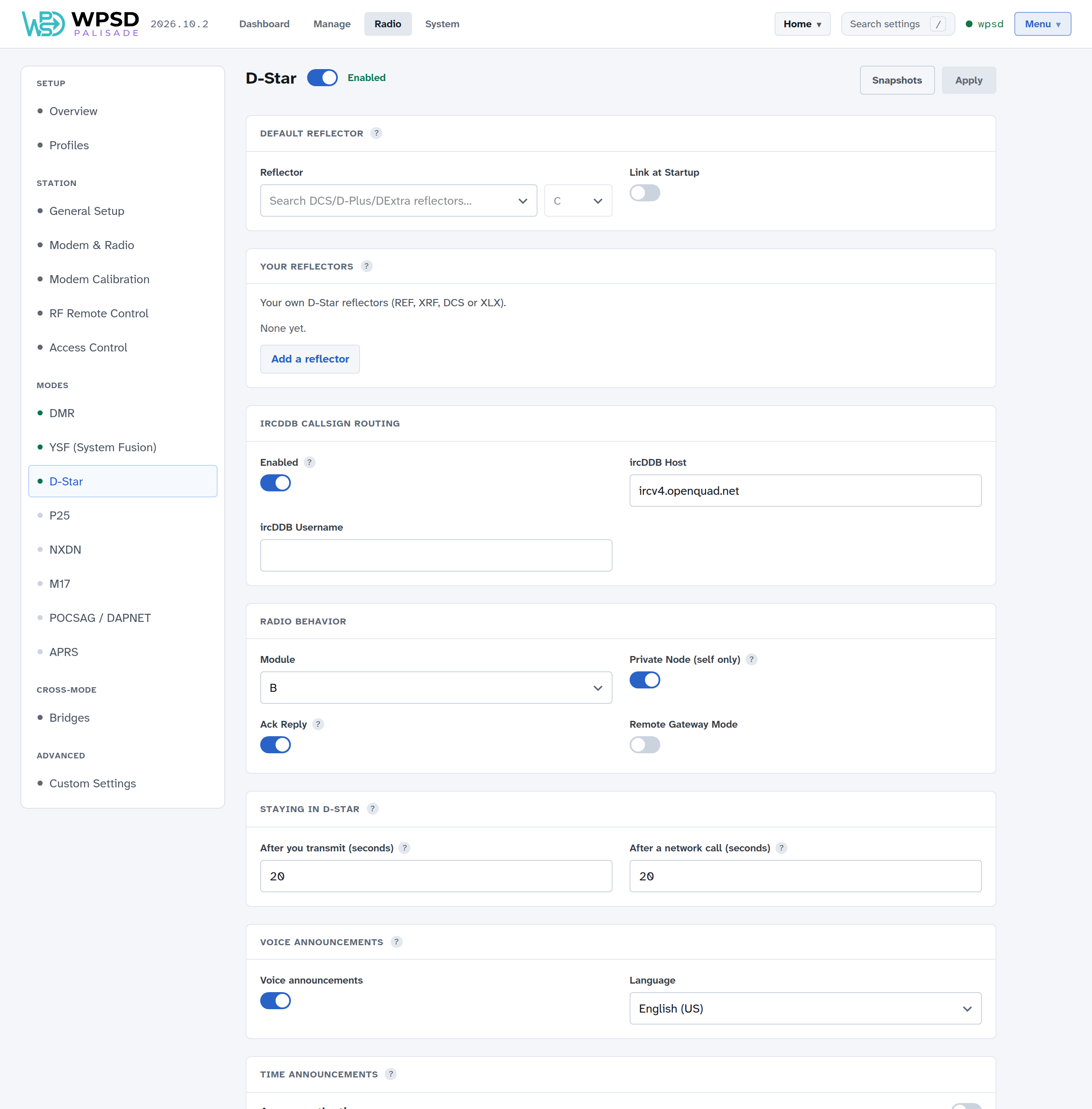
Default Reflector
Reflector: a DCS, D-Plus (REF) or DExtra (XRF) reflector and its module to link to automatically. Leave it empty for no automatic link.
Link at Startup: link it as the WPSD device starts.
Your reflectors: add reflectors the lists don’t have; see Custom Hosts and Talkgroup Names.
ircDDB Callsign Routing
Connects to ircDDB so other stations can reach you by callsign routing. Set the host and your username here if you use it.
Radio Behavior
Module: your WPSD device’s D-Star module letter (B is usual for 70 cm).
Private Node (self only): only your own callsign can use the WPSD device in D-Star. On by default.
Ack Reply: sends a short reply after each of your transmissions, with how well it was received.
Remote Gateway Mode: an MMDVM-Host option for special gateway setups; leave it off unless yours calls for it.
Staying in D-Star
How long the WPSD device keeps listening for D-Star after you transmit, and after a network call, before another mode can take it. 20 seconds is a good start.
Voice and time announcements
Voice announcements: spoken messages about what the gateway is linked to; turn them off for a quiet hotspot, or choose their language.
Time announcements: the WPSD device speaks the time on your module at the interval you choose, like a repeater’s talking clock. Its own program, D-Star Time Server, runs only when you turn this on.
APRS
Your D-Star gateway can send your station’s position and description to APRS-IS; see APRS and GPS. Its map object keeps D-Star’s usual symbol.
Linking now
To link a module to another reflector now, without changing these settings, use Manage D-Star. From your radio, set your URCALL to the usual D-Star link and unlink commands.