Services and Watchdog
Your WPSD device is a set of programs working together: MMDVM-Host drives the modem, and a gateway for each mode connects it to that mode’s networks. System > Services shows them; System > Watchdog keeps them running.
Services
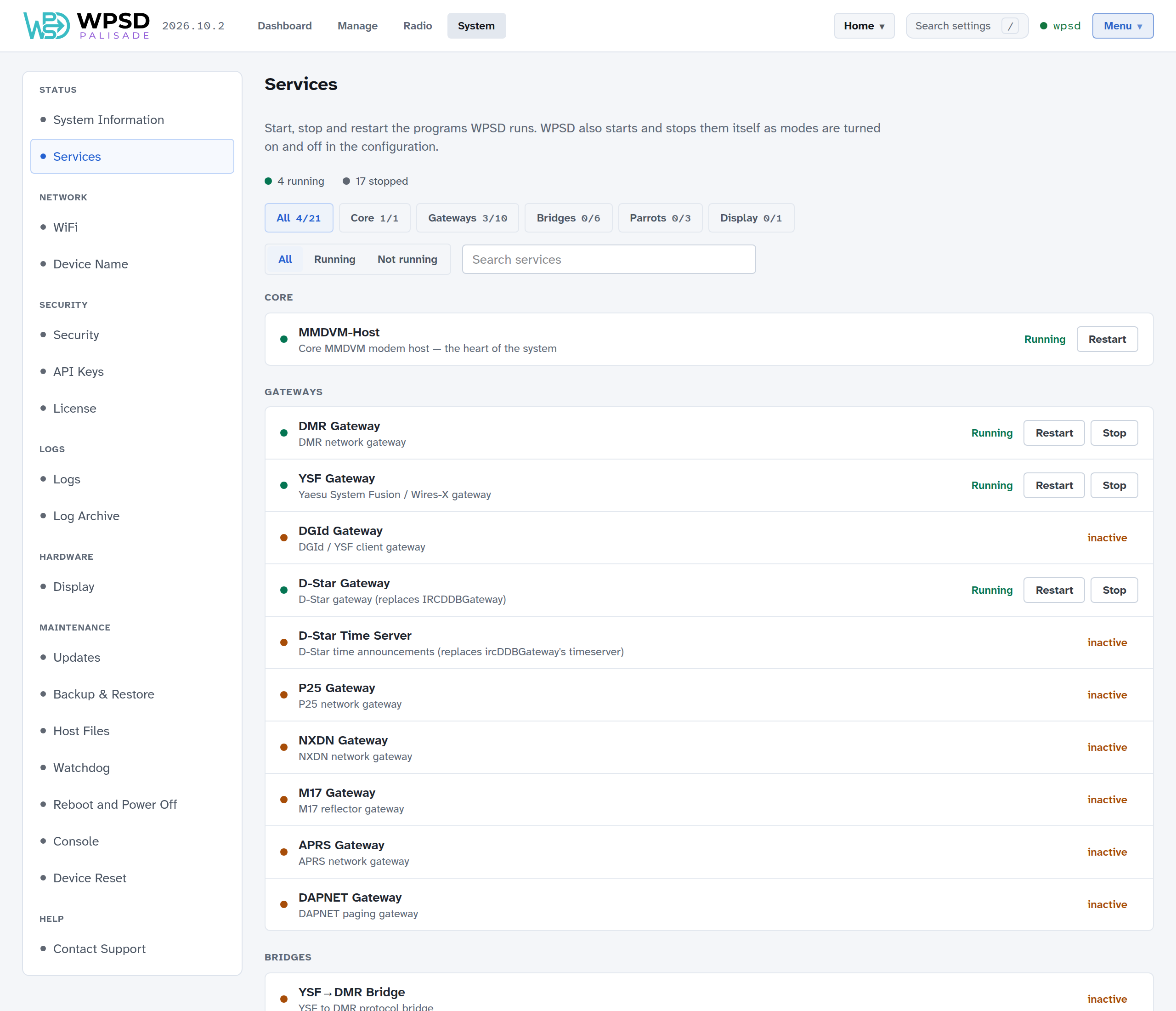
WPSD Palisade starts and stops the programs itself as you turn modes on and off in Radio, so you rarely need this page. It’s for seeing what runs, and restarting a program that misbehaves.
The programs are grouped:
Group |
Programs |
|---|---|
Core |
MMDVM-Host, which drives the modem and so your radio: every mode goes through it. |
Gateways |
One per mode, connecting MMDVM-Host to that mode’s networks: DMR Gateway, YSF Gateway, DGId Gateway (YSF DG-ID routing), D-Star Gateway and D-Star Time Server (spoken time announcements), P25 Gateway, NXDN Gateway, M17 Gateway, APRS Gateway and DAPNET Gateway (paging). |
Bridges |
The cross-mode bridges, such as YSF→DMR. |
Parrots |
The YSF, P25 and NXDN parrots, which play back what you say. |
Display |
MMDVM-Display, for a display on the WPSD device. |
Filter by group, by Running or Not running, or search by name. Each running program has Restart and Stop, and a stopped one has Start. MMDVM-Host, at the core, can be restarted but not stopped.
Note
Stopping a program here doesn’t turn its mode off. To turn a mode off, turn it off on its page in Radio.
A program shown as Failed stopped by itself: its log says why.
The watchdog
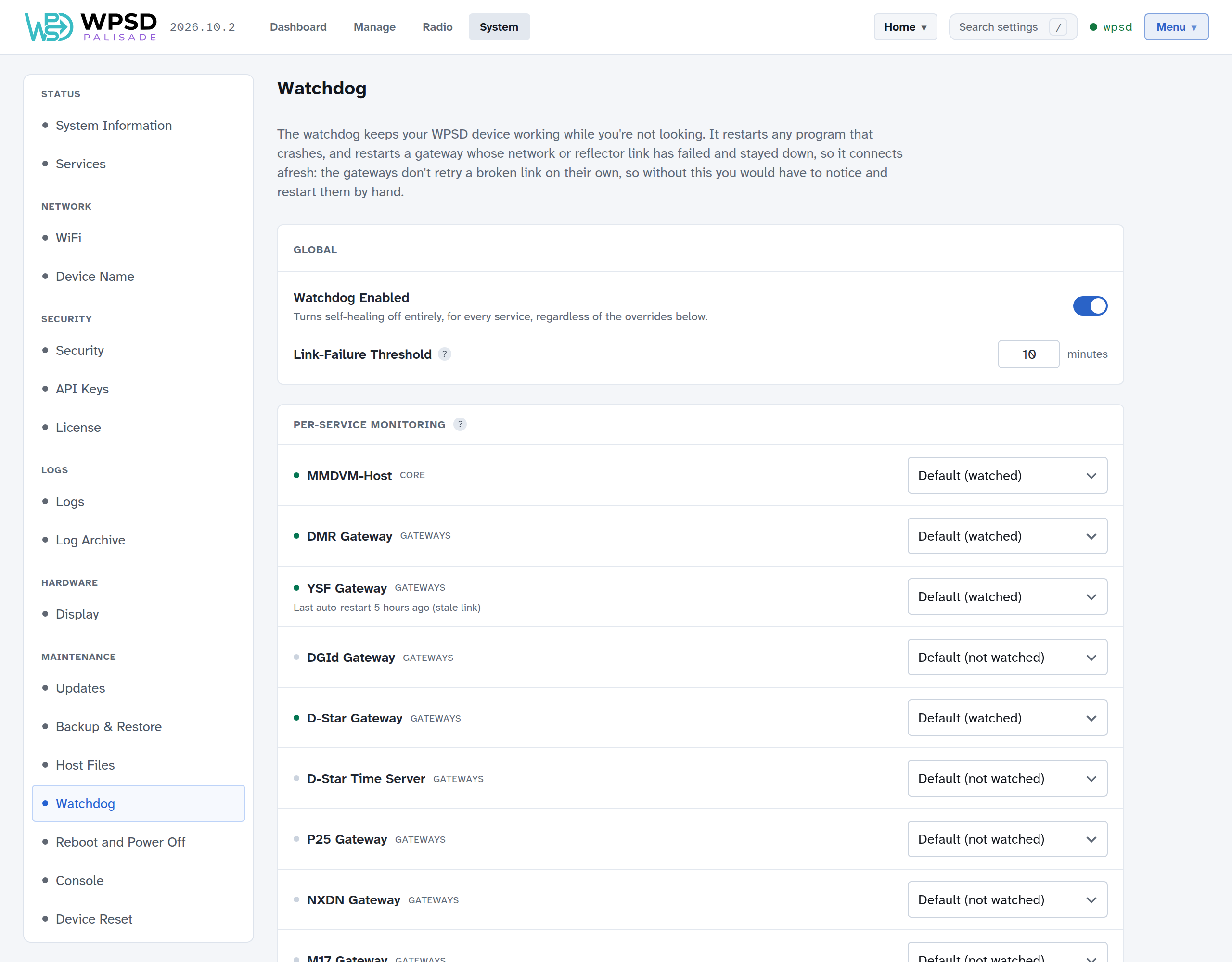
The watchdog keeps your WPSD device working while you’re not looking. It watches the programs you use and:
restarts any that crash;
restarts a gateway whose network or reflector link has failed and stayed down, to make it connect afresh. The gateways don’t retry a broken link on their own once it drops, so without this you’d have to notice and restart them by hand.
Watchdog Enabled turns all of this on or off. Link-Failure Threshold is how long, in minutes, a gateway may report a failed link before the watchdog restarts it.
Under Per-Service Monitoring, each program is watched by default if it’s enabled (turn a mode on, and its programs are watched). Choose Always Watch or Never Watch to override that for one program. Each program shows when the watchdog last restarted it, and why (crash or stale link).
If the watchdog has had to restart a program several times in a short while, it stops trying and marks it as backed off, needing attention. Look at the program’s log to find out why, fix the cause, then choose Reset to let the watchdog watch it again.