POCSAG and DAPNET
Your WPSD device can also be a paging transmitter: it sends POCSAG pages to pagers, from the DAPNET paging network or from your dashboard.
Setting it up
Radio > POCSAG / DAPNET: turn it on with the switch next to the title, make your changes, then Apply.
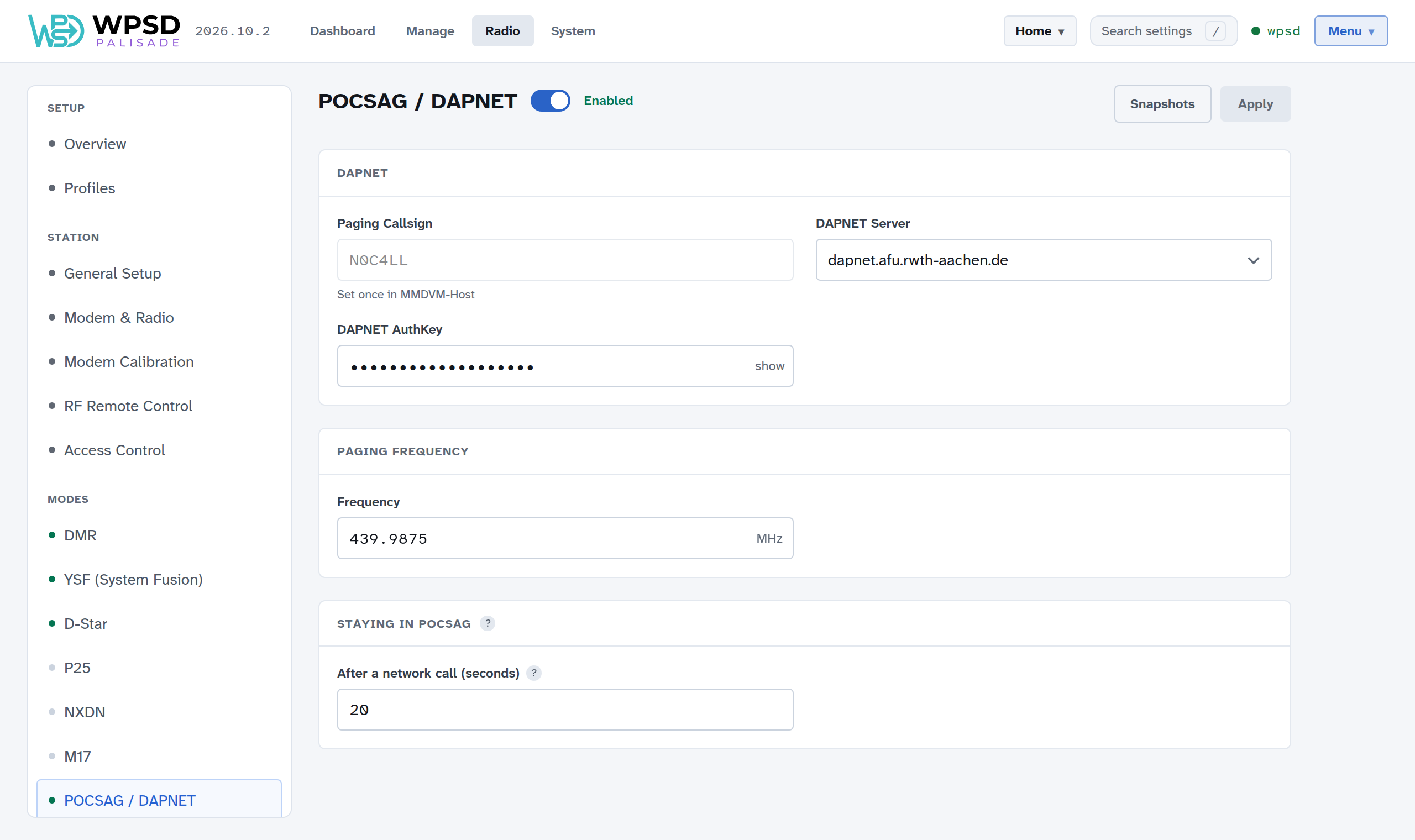
DAPNET
Paging Callsign: your station callsign, set once in your station settings.
DAPNET Server: the DAPNET core to connect to.
DAPNET AuthKey: the key DAPNET gives your transmitter when you register it on the DAPNET website.
Paging Frequency: the frequency pages go out on (439.9875 MHz in much of the world; check your pagers and your country’s band plan).
Staying in POCSAG: after a page from the network goes out, how long the WPSD device stays on paging, so a run of pages goes out together. 20 seconds is a good start.
Sending pages
Manage Paging sends pages: over the air from your WPSD device to a pager you choose, or through DAPNET to pagers anywhere (with your DAPNET login added). Keep your pagers there under Saved pagers.