YSF (System Fusion)
System Fusion settings are on Radio > YSF (System Fusion). Turn it on with the switch next to the title, make your changes, then Apply.
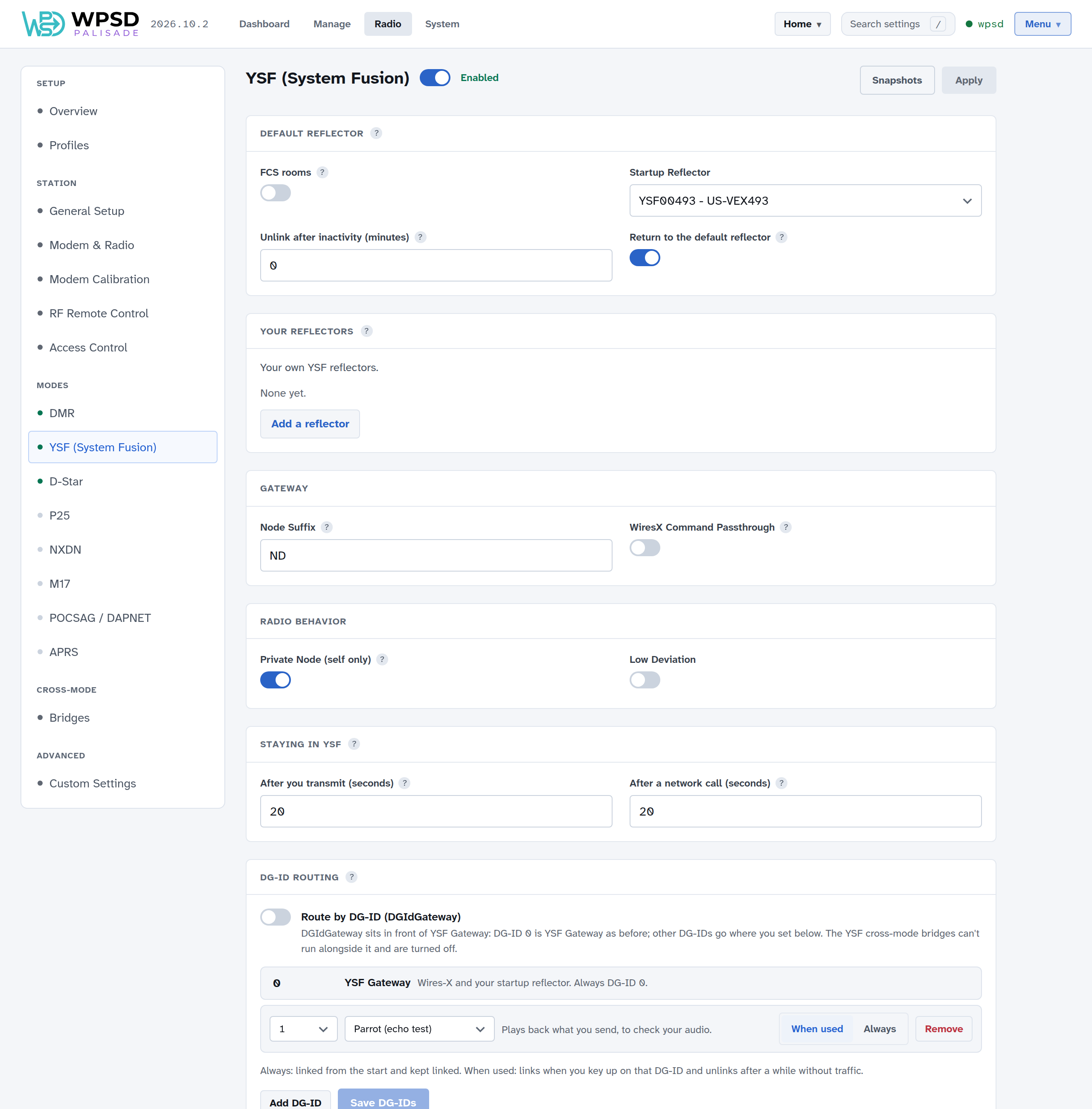
Default Reflector
Startup Reflector: the reflector or room your WPSD device links to when it starts, and goes back to after inactivity. Leave it empty for no automatic link.
FCS rooms: also offer FCS rooms, not just YSF reflectors. Off, FCS rooms don’t appear in the lists.
Unlink after inactivity (minutes): unlinks after this long without your own transmissions (traffic from the reflector doesn’t count). 0 stays linked.
Return to the default reflector: after the inactivity time, link the default reflector again instead of unlinking.
Your reflectors: add YSF reflectors the lists don’t have; see Custom Hosts and Talkgroup Names.
Gateway
Node Suffix: one or two characters added to your callsign on the air.
WiresX Command Passthrough: passes Wires-X commands from your radio through to a cross-mode bridge, if one is on.
Radio Behavior
Private Node (self only): only your own callsign can use the WPSD device in System Fusion. On by default.
Low Deviation: for radios that need lower deviation; leave it off unless yours does.
Staying in YSF
How long the WPSD device keeps listening for YSF after you transmit, and after a network call, before another mode can take it. 20 seconds is a good start.
DG-ID routing
With Route by DG-ID on, the DG-ID set on your radio chooses where you talk. DG-ID 0 is YSF Gateway as before (Wires-X and your startup reflector); each other DG-ID you add goes to its own reflector, room or the parrot, and is either linked Always (from the start) or When used (when you key up on it, unlinking after a while without traffic). Add DG-IDs with Add DG-ID, then Save DG-IDs.
The YSF cross-mode bridges can’t run alongside DG-ID routing, and are turned off while it’s on. The dashboard’s Modes & Networks panel shows which DG-ID is in use.
Cross-mode bridges
YSF to DMR, YSF to NXDN and YSF to P25 are on Radio > Bridges; see Cross-Mode. While one of them is on, this page shows it, and a bridge that holds YSF off (DMR → YSF) says so here, with a link to it.
APRS
YSF Gateway, and DG-ID routing when on, each send their own beacon with their own SSID; see APRS and GPS.
Linking now
To link a different reflector or room now, without changing these settings, use Manage YSF / FCS.