Logs
Every program on your WPSD device writes a log of what it does: each call, each network connection, and every error. When something doesn’t work, its log almost always says why. System > Logs shows them live; System > Log Archive sets how they’re kept.
The log viewer
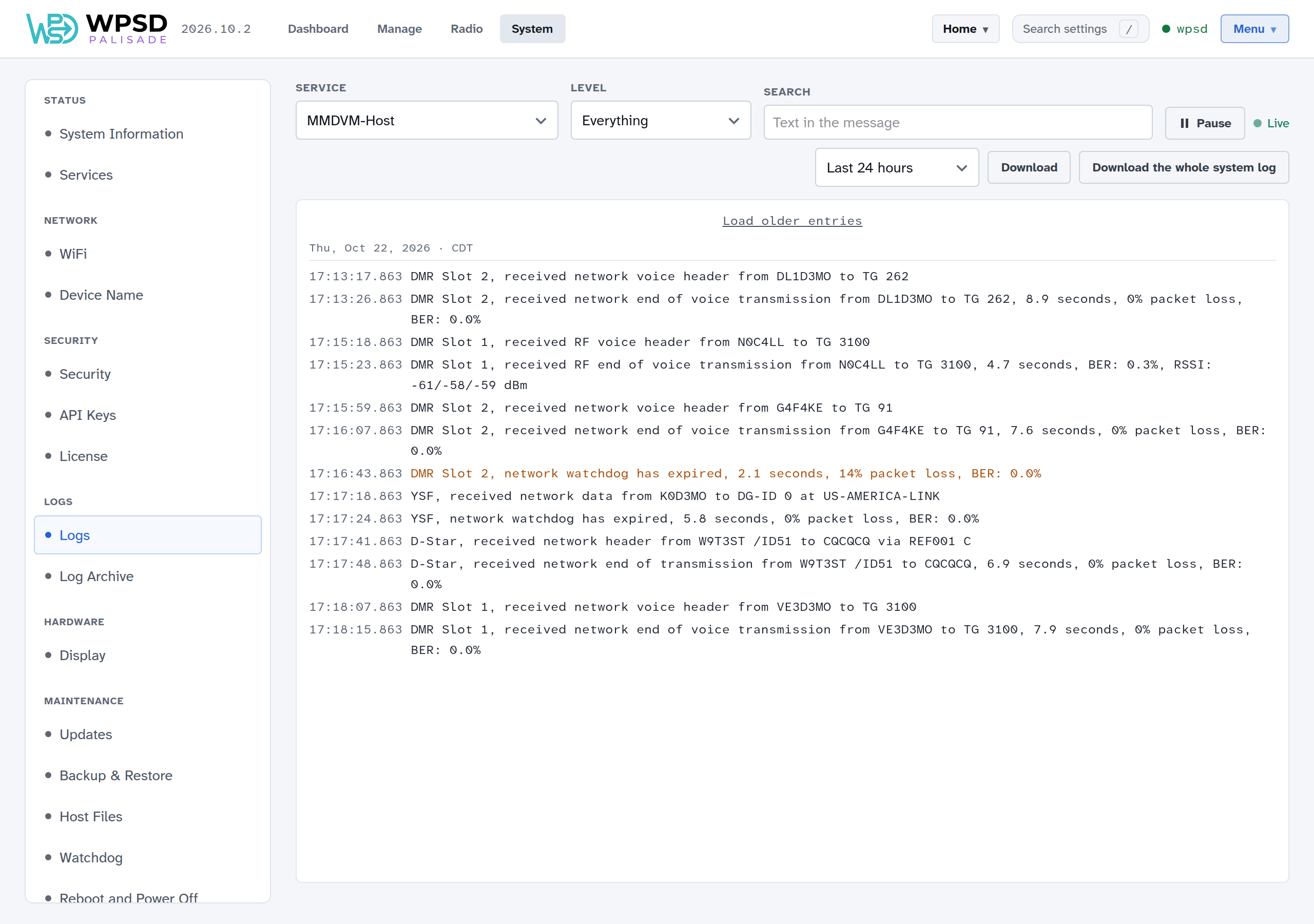
Choose a log under Service (or from the buttons shown before you choose), and the viewer shows its latest entries and follows it live as new lines arrive.
Level: show everything, or only information, warnings or errors. Warnings are shown in amber, errors in red.
Search: only lines containing some text, such as a callsign or talkgroup.
Pause stops the view moving so you can read; nothing logged meanwhile is missed, and Resume shows it.
Load older entries at the top goes further back.
Which log to read
Problem with |
Read |
|---|---|
Your radio and the WPSD device: no audio, not keying up, BER |
MMDVM-Host |
A DMR network or talkgroup |
DMR Gateway (and MMDVM-Host) |
YSF reflectors and rooms |
YSF Gateway, or DGId Gateway with DG-ID routing |
D-Star reflectors |
D-Star Gateway |
P25, NXDN or M17 |
P25 Gateway, NXDN Gateway or M17 Gateway |
Cross-mode |
The bridge, such as YSF→DMR Bridge |
APRS or paging |
APRS Gateway or DAPNET Gateway |
The dashboard itself, settings, profiles |
WPSD |
Wi-Fi |
NetworkManager and WPSD network helper |
Anything else |
System log (everything) or Kernel messages |
Downloading logs
To send logs to someone helping you, choose a period under the log (Last hour, Last 24 hours, Last 7 days or Everything kept), then:
Download saves the chosen log;
Download the whole system log saves every program’s log.
Both keep the level and search you’ve set; clear them first to download everything.
Note
Logs hold your callsign, the callsigns you’ve heard and your network’s addresses. Look through them before posting them publicly.
The log archive
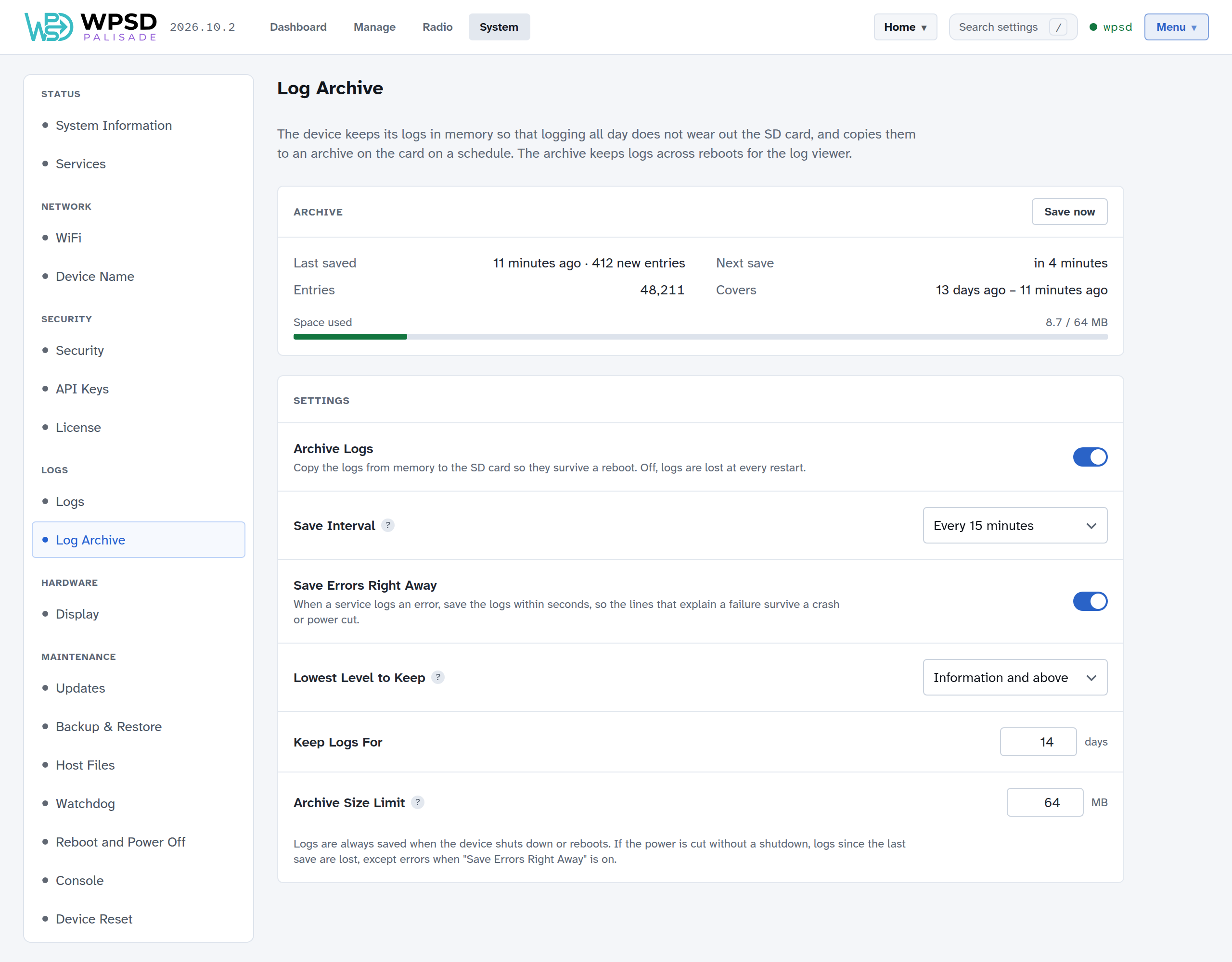
The WPSD device keeps its logs in memory, so that logging all day doesn’t wear out the SD card, and copies them to an archive on the card on a schedule. The archive keeps logs across restarts, for the log viewer.
The Archive card shows when the logs were last saved, when they’ll be saved next, how many entries the archive holds and how far back, and the space used. Save now saves straight away.
Setting |
What it does |
|---|---|
Archive Logs |
Copy the logs to the SD card so they survive a restart. Off, logs are lost at every restart. |
Save Interval |
How often the logs are copied to the card. Less often means less wear on the card, and more lost if the power is cut without a shutdown. |
Save Errors Right Away |
When a program logs an error, save the logs within seconds, so the lines that explain a failure survive a crash or power cut. |
Lowest Level to Keep |
Messages less important than this aren’t archived. They stay in memory until the next restart. |
Keep Logs For |
Days to keep. |
Archive Size Limit |
When the archive reaches this size, the oldest entries are removed first. |
Logs are always saved when the WPSD device shuts down or restarts from the dashboard (see Restart and Shut Down). If the power is cut without a shutdown, logs since the last save are lost, except errors when Save Errors Right Away is on.