Radio Settings
Radio in the top bar holds your radio setup: your station, the modem, each mode, and the advanced settings. Everything here is part of the active profile.
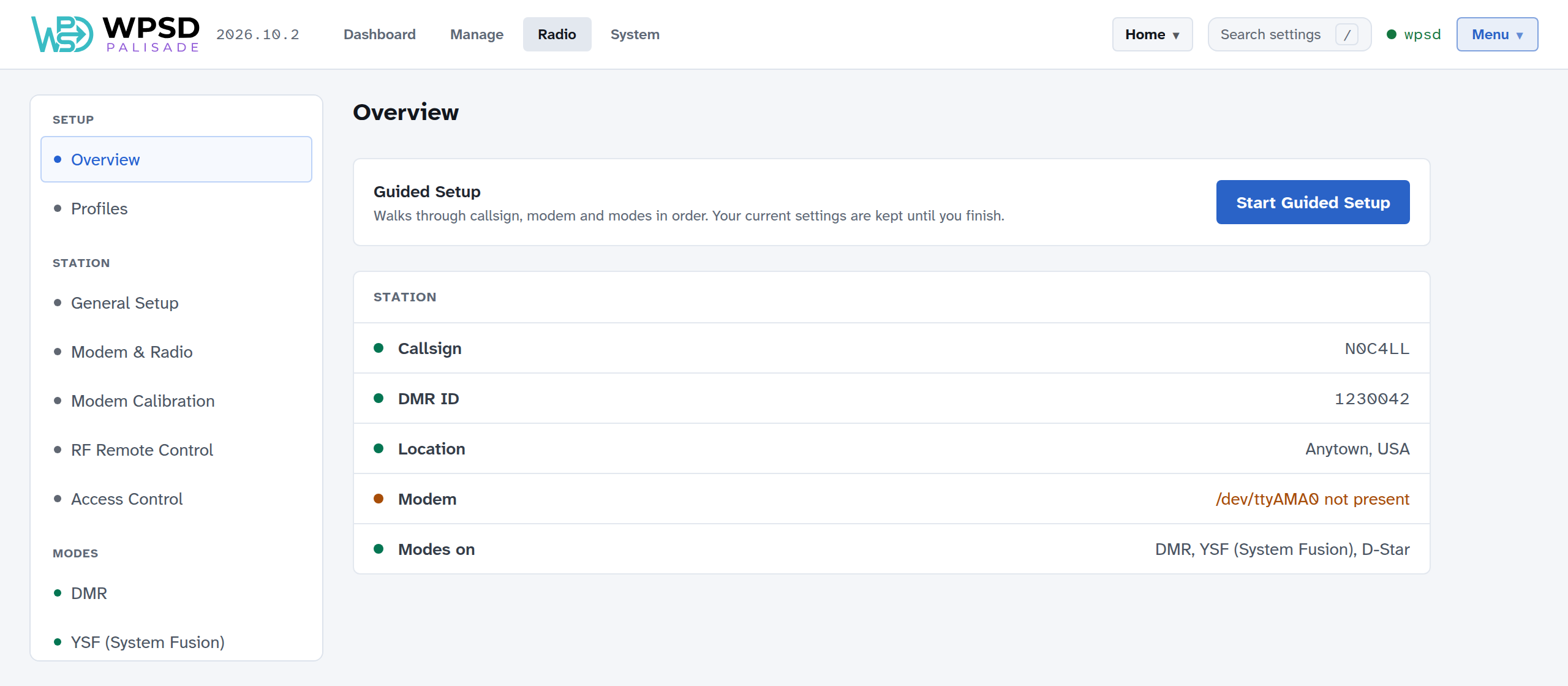
How it’s laid out
The menu on the left groups the pages:
Group |
Pages |
|---|---|
Setup |
Overview: the station at a glance, with anything missing marked, and Start Guided Setup (Guided Setup). Its Modem line says whether a modem answers on the chosen port (the device asks it), not just which port is chosen. Profiles (Profiles). |
Station |
General Setup and Modem & Radio (Station, Modem and Radio), Modem Calibration (Modem Calibration), RF Remote Control (RF Remote Control), Access Control (Access Control) |
Modes |
One page per mode: DMR, YSF (System Fusion), D-Star, P25, NXDN, M17, POCSAG / DAPNET, APRS. A dot shows which modes are on. |
Advanced |
Custom Settings (Custom Settings) |
Search settings in the top bar (or press /) finds any setting by name and takes you to it.
Applying changes
Changes on the Radio pages don’t take effect as you make them: they wait, so you can make several, on several pages, and apply them together.
Make your changes. The Apply button at the top right counts them (Apply 3 changes), on every Radio page.
Choose Apply. A list shows what changes, page by page, and which programs restart. Take out any change you don’t want (Keep … as it is), or go back to editing.
Confirm. Only the programs whose settings changed restart, each once: the WPSD device is off the air for a few seconds.
Discard drops the changes still waiting.
Applied changes run at once, but aren’t saved to the profile yet: see Changes you haven’t saved in Profiles.
Snapshots
Each time you apply changes, a copy of each changed program’s settings is kept as a snapshot, so you can go back. Snapshots, at the top of each Radio page, lists the snapshots of that page’s programs, newest first.
Compare shows what restoring one would change: lines removed and lines that come back. Passwords are hidden.
Restore puts that program’s settings back as they were, at once.
Keep the last sets how many copies are kept; Delete and Delete all remove them.
Profiles are the better way to keep a setup you want to come back to; snapshots are for undoing a change that didn’t work out.