NXDN
NXDN settings are on Radio > NXDN. Turn it on with the switch next to the title, make your changes, then Apply.
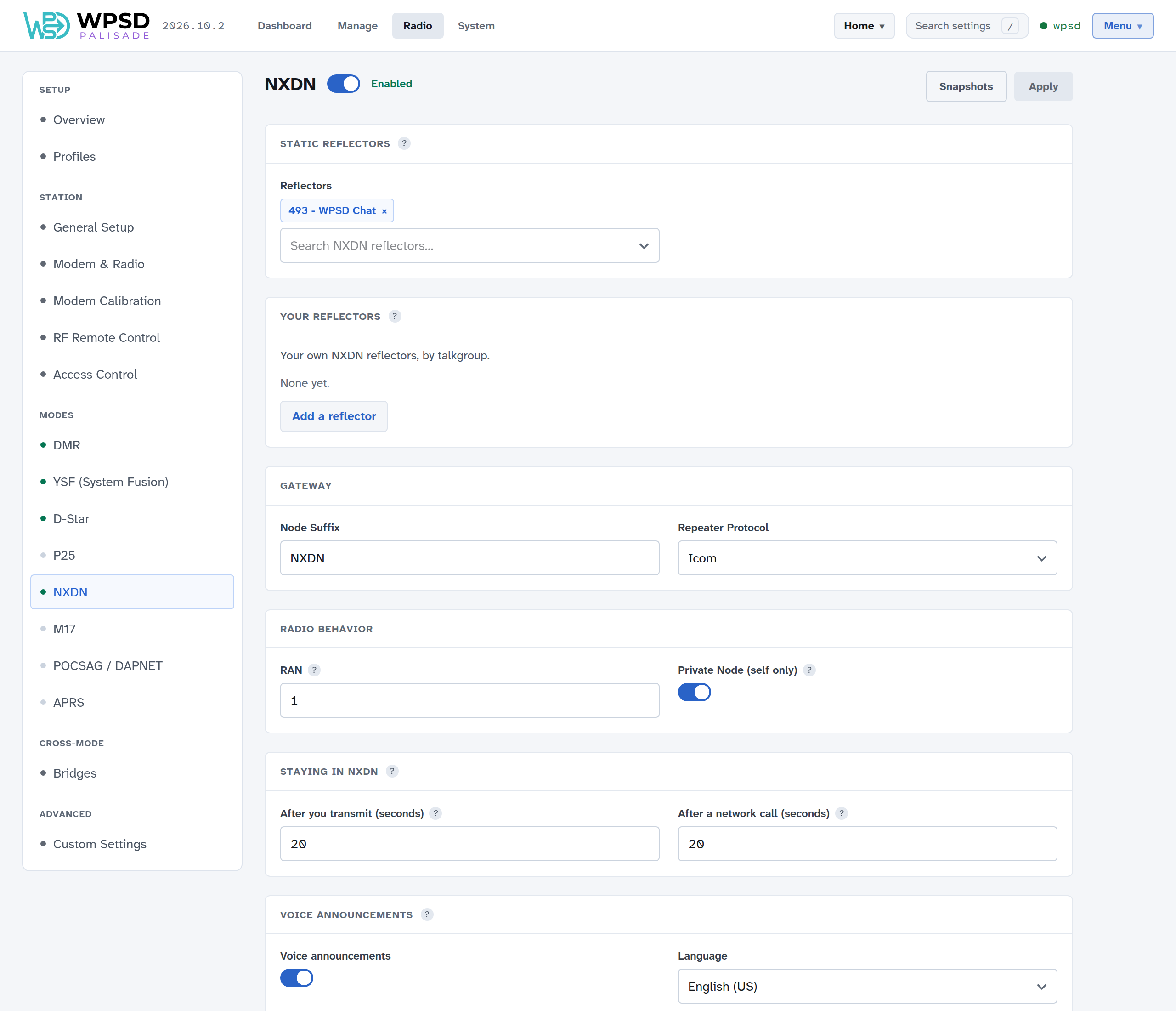
Static Reflectors
Reflectors linked at startup and kept linked; NXDN can keep several linked at once.
Your reflectors: add NXDN reflectors the lists don’t have; see Custom Hosts and Talkgroup Names.
Gateway
Node Suffix: characters added to your callsign on the network.
Repeater Protocol: how the gateway talks to MMDVM-Host; leave the default unless told otherwise.
Radio Behavior
RAN: the Radio Access Number, NXDN’s equivalent of a color code (1 to 64). Your radio must match it.
Private Node (self only): only your own ID can use the WPSD device in NXDN. On by default.
Staying in NXDN, voice announcements, APRS
How long the WPSD device stays in NXDN after a call (20 seconds is a good start), spoken link messages and their language, and the APRS beacon (see APRS and GPS).
Linking and unlinking
Link another reflector now from Manage NXDN. From your radio, dial the reflector’s number as a talkgroup to link it, and talkgroup 9999 to unlink.