M17
M17 is an open digital voice mode. Its settings are on Radio > M17. Turn it on with the switch next to the title, make your changes, then Apply.
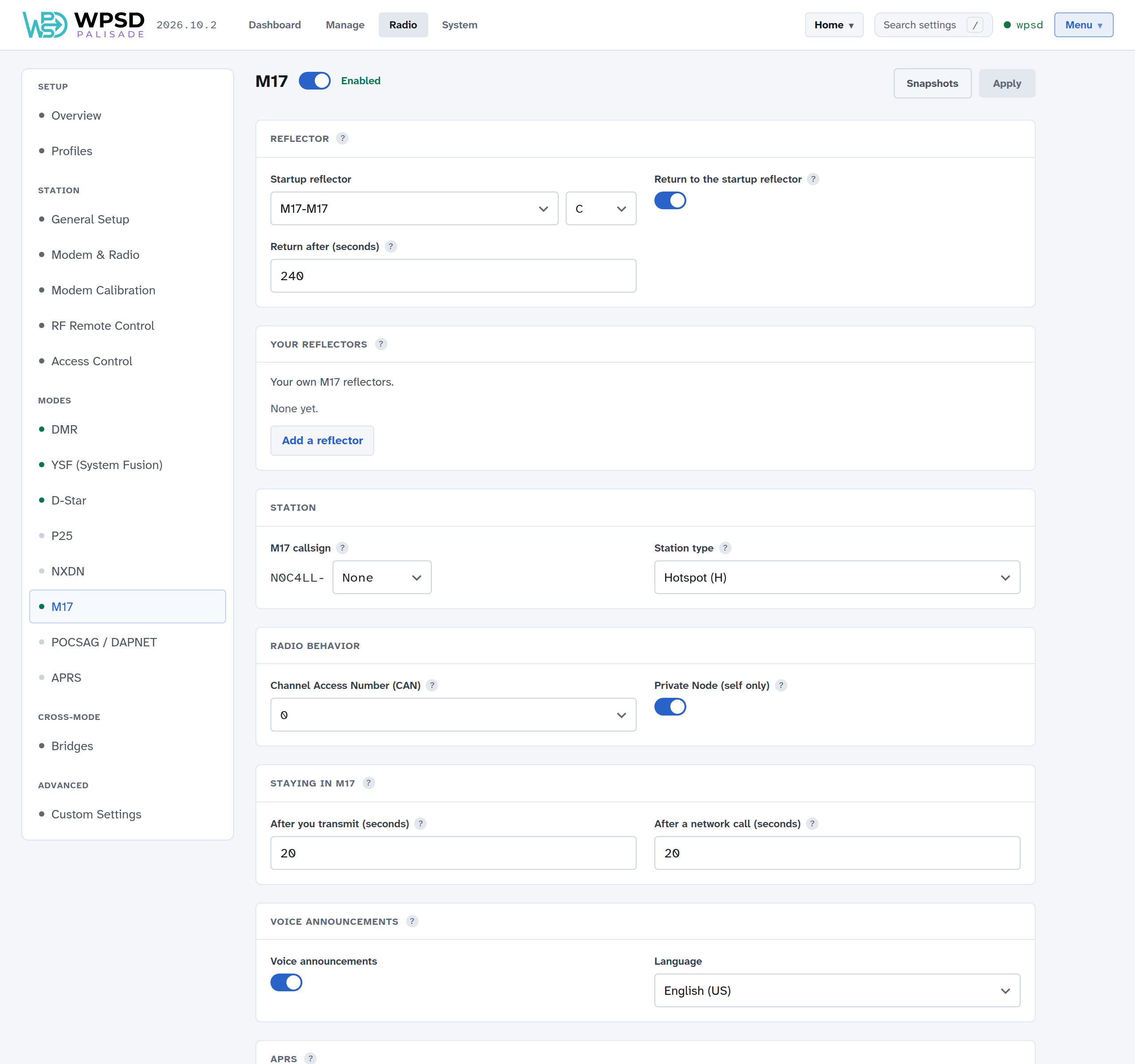
Reflector
Startup reflector: the reflector and module your WPSD device links to when it starts.
Return to the startup reflector and Return after (seconds): after this long without traffic, go back to the startup reflector (or unlink, if none is set). 240 seconds is a good start.
Your reflectors: add M17 reflectors the lists don’t have; see Custom Hosts and Talkgroup Names.
Station
M17 callsign: your callsign as M17 sends it, from your station settings, with an optional station ID (0 to 9) to tell your WPSD devices apart.
Station type: the letter M17 adds to show what kind of station this is (Hotspot (H) for a WPSD device).
Radio Behavior
Channel Access Number (CAN): M17’s equivalent of a color code, 0 to 15. Your radio must use the same CAN.
Private Node (self only): only your own callsign can use the WPSD device in M17. On by default.
Staying in M17, voice announcements, APRS
How long the WPSD device stays in M17 after a call (20 seconds is a good start), spoken link messages and their language, and the APRS beacon (see APRS and GPS).
Linking now
Link another reflector and module now from Manage M17.